I’ll be honest upfront: I don’t do this every day. Some weeks I nail it. Other weeks a bad night’s sleep or a surprise client meeting on Monday morning throws the whole thing off, and I spend the rest of the week reacting instead of planning.
But when I do plan properly, the difference is night and day. I get more done, I feel calmer, and by Wednesday I actually know whether I’m on track or need to push harder to enjoy my weekend. So here’s what my workflow looks like when it’s working.
Monday morning: plan the week
I usually know roughly what needs to happen this week. There are milestones, deadlines, client deliverables. Most of that lives in my head or scattered across whatever tools my clients use.
Monday morning, before I start any real work, I sit down and get it all out. I set bigger tasks with due dates (usually a day or two before the actual deadline, to give myself buffer). Then I break those down into smaller chunks, ideally tasks I can finish in a single day. I assign those roughly to specific days across the week.
It doesn’t need to be perfect. The point is that by the end of this session, I have a rough map of my week. I know what Monday looks like, I know what’s coming on Thursday, and I know where the pressure points are.
The other thing I do during planning is write down anything that pops into my head that I’m not going to work on right now. This is something I picked up from the Getting Things Done approach. If a task or idea comes up while I’m planning (or any time during the day, really), I capture it immediately and move on. It stops those loose thoughts from rattling around in my head and pulling my focus. They’ll be there when I’m ready for them.
Each morning: timebox the day
Once I have the weekly plan, each morning becomes much simpler. I look at what’s assigned for today, estimate how long each task will take, and slot them into my available hours.
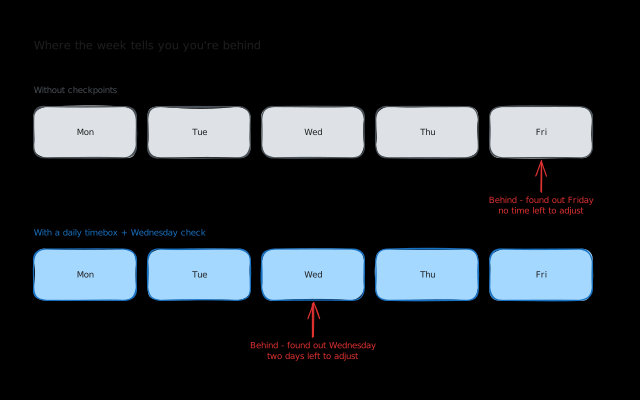
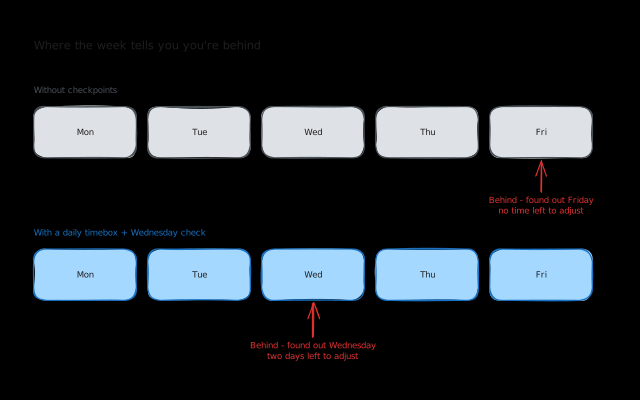
This is the part that makes the biggest difference during the day. If I’ve timeboxed properly, I can tell at any point whether I’m on track. If it’s 2pm and I’m still on the first task of three, I know I need to stop overengineering and just get it done. Without the timebox, I’d have no idea I was behind until it’s too late.
The mid-week gut check
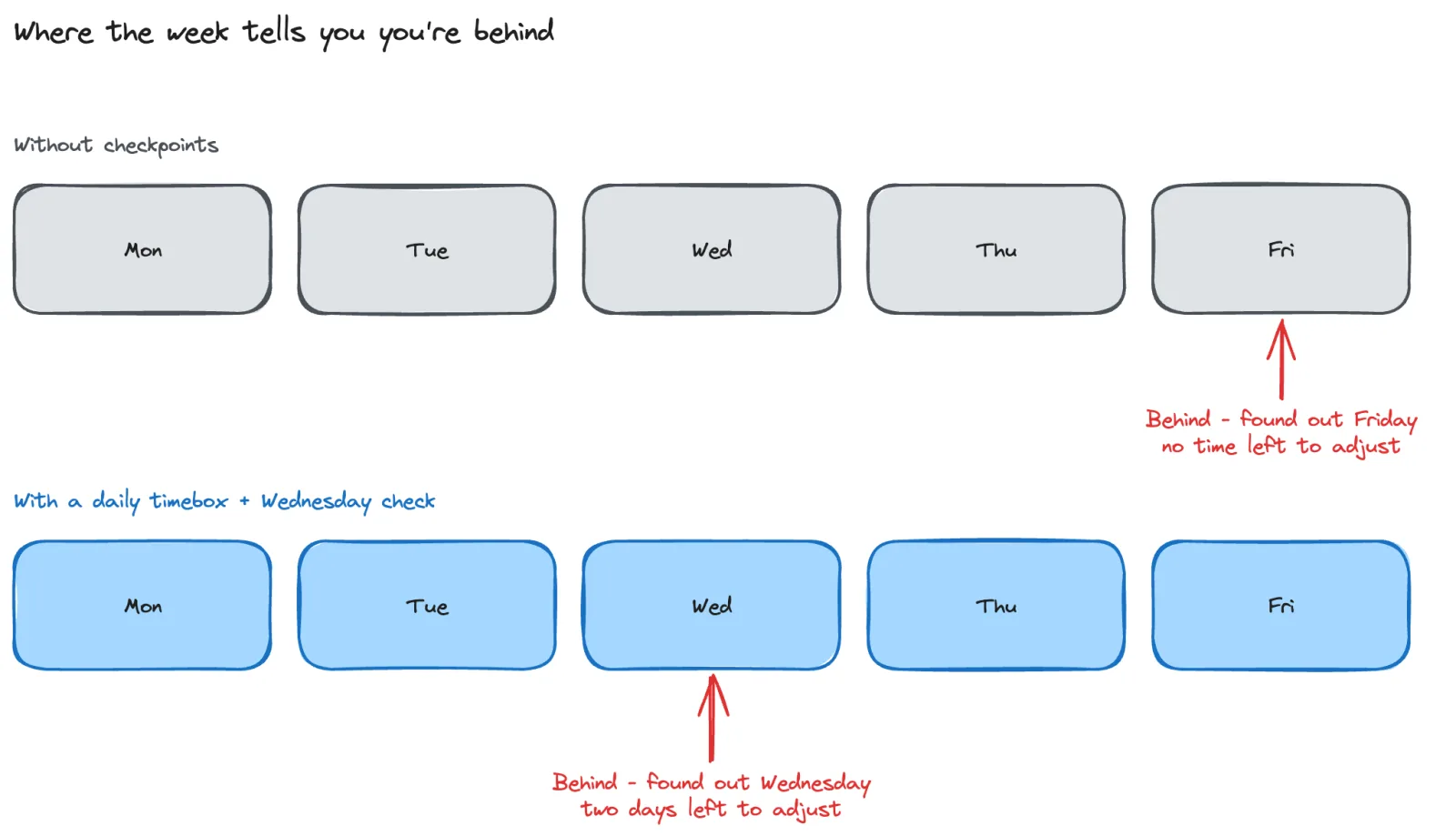
By Wednesday, I usually have a pretty clear sense of where things stand. This isn’t a formal review. It’s more of a gut feeling. Am I ahead? Behind? Have any new tasks come in that shift the plan?
If I’m behind, I know I need to buckle down for the rest of the week. Sometimes that means working a longer day on Thursday so I can actually take Friday easier. The key is that I know early enough to adjust, instead of realising on Friday afternoon that I’m not going to make it.
End of day: reflect (and save tomorrow morning)
This is the part I skip most often, and it’s the part that helps the most.
When I do take 5 minutes at the end of the day to look at what I finished, what’s left, and roughly plan tomorrow, I save myself a huge amount of time the next morning. Instead of sitting down and figuring out what to work on, I can just start. The decisions are already made.
It’s not a formal reflection exercise. I’m not journaling or scoring myself. I’m just looking at what’s done, what isn’t, and shuffling things around for tomorrow. Sometimes I notice patterns, like a task type that always takes longer than I think, or a client whose work keeps expanding. But the main benefit is practical: tomorrow morning becomes effortless.
The honest part: I don’t do this every day
I want to be upfront about this because most productivity advice pretends that once you find the right system, you’ll stick to it forever. That’s not how it works. At least not for me.
I fall off this workflow all the time. A vacation throws off my rhythm. A client emergency eats my Monday morning planning session. I get sick, or I just have a rough night and don’t have the energy to plan before diving into work.
And that’s fine. The goal isn’t to be perfect. It’s to have a system that you can come back to. When I do plan, I get more done and I feel better about my work. When I don’t, things get messier but I survive. The important thing is that getting back on track doesn’t require starting from scratch.
What I’m building into Koaline
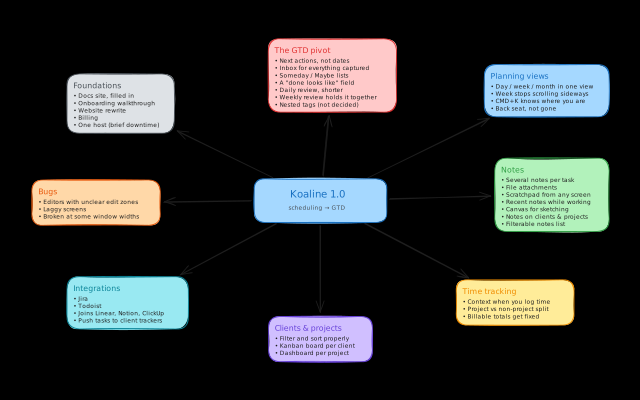
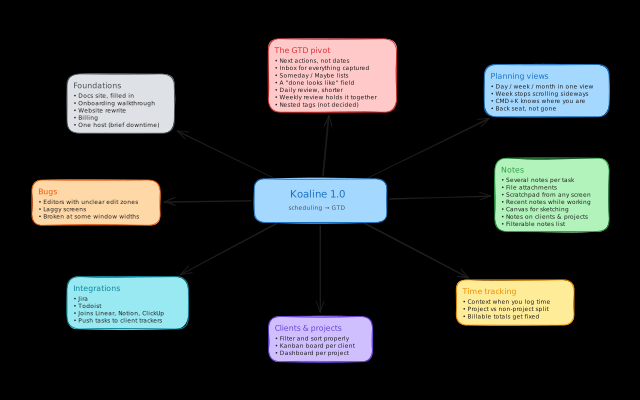
This workflow is the foundation of what I’m building with Koaline. Not as a rigid framework that you have to follow perfectly, but as a tool that supports however you work.
I don’t think there’s one system that works for everyone. Some people plan weekly, some plan daily. Some reflect every evening, some never do. Koaline should work for all of them.
One thing I’m focused on is making it easy to get back on track after you’ve dropped off. I don’t know exactly what that looks like yet, maybe a button that lets you start fresh, or a view that shows you everything that needs rescheduling. But I know from experience that the worst part of falling off a system is the guilt of coming back to it. I want to remove that friction.
I’m actively working with early users to figure out what works. If you have thoughts on this, or if you want to share how you plan your own week, send me an email at david@koaline.app. I’d genuinely love to hear it.
Try Koaline if this resonates — it’s open and free while in beta.
Related reading:
- Why Freelancers Need a Dedicated Workspace (Not Another Notion Template) - Why purpose-built tooling beats DIY setups for freelancers.
- Managing Tasks Across ClickUp, Notion, and Jira Without Losing Your Mind - How I dealt with the multi-tool chaos of freelancing.
- Why Day Planning Beats To-Do Lists for Freelancers - Why “what am I doing today?” matters more than “what needs doing?”