When I started freelancing, I said yes to everything. Every request, every “quick task,” every “can you squeeze this in?” Of course I could. I was hungry for work, wanted to prove myself, and saying no felt like a risk I couldn’t afford.
So I’d take it all on, work 50-hour weeks, and tell myself this was just what freelancing looked like. Some weeks it worked out. Most weeks I ended up doing overtime just to keep up, delivering things later than I wanted, and starting the next week already behind.
It took a while to realise that the overcommitting wasn’t a discipline problem. It was a visibility problem, a boundaries problem, and honestly, a fear problem.
Why I kept saying yes
Looking back, a few things were working against me.
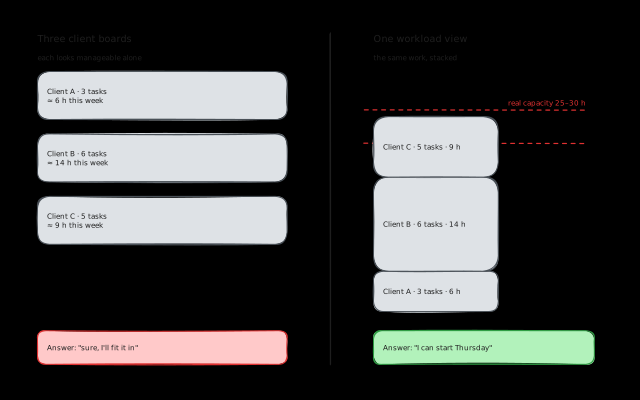
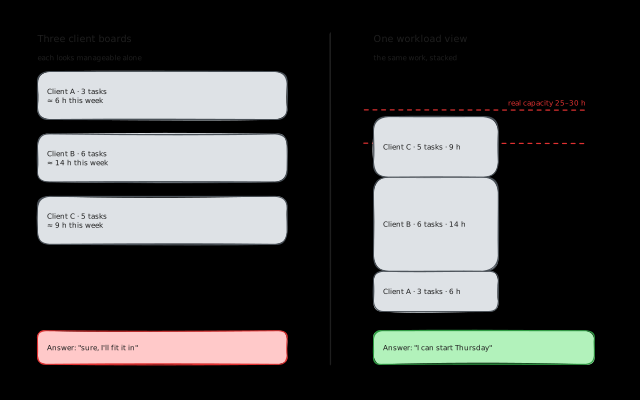
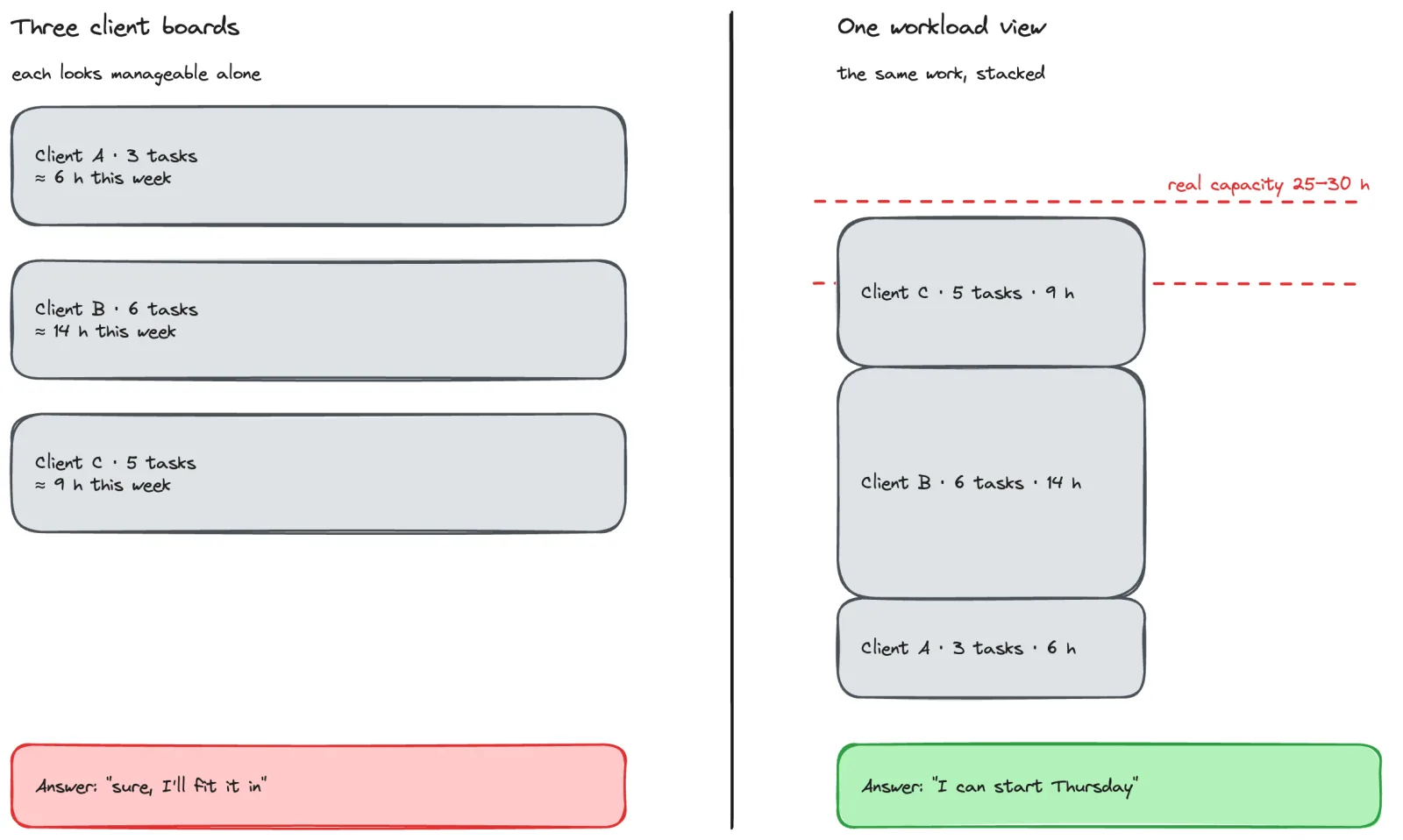
I couldn’t see my total workload. When tasks are spread across ClickUp, Notion, and whatever tool a client uses, you evaluate each request in isolation. Client A asks for something and you look at Client A’s board. Looks manageable. But you’re not seeing the 8 tasks from Client B, the deadline for Client C, and the admin work you’ve been putting off. Each client’s board looks reasonable on its own. Add them all together and you’ve got two weeks of work crammed into one.
Every client thinks differently about your availability. Some clients understand you have other clients. They get it, they’re flexible, they plan ahead. Others just assume you’re working for them full time. They’ll add tasks to the board without asking, or send a “can you do this today?” message that’s really more of an instruction than a question. Neither type is wrong, but if you’re not managing expectations, the second type will fill your schedule without you realising it.
Saying no felt dangerous. This is the one nobody talks about enough. When you’re freelance, every client is revenue. Saying “I can’t do that this week” feels like you’re giving them a reason to find someone else. Especially early on, when you don’t have a track record or a waiting list of clients. So you say yes, absorb the extra work, and hope you can make it fit.
The first time I said no
I remember mulling over my first real “no” for days before I actually did it. It was for a smaller client who didn’t bring in much revenue. The work itself wasn’t a lot, but the overhead was killing me. Context switching into their project, getting up to speed, doing a small task, switching back. The actual work was maybe an hour, but the switching cost made it feel like three.
I spent days going back and forth in my head. What if they drop me? What if they’re upset? In the end, I pushed back on the timeline, and it was completely fine. They understood. Nothing bad happened.
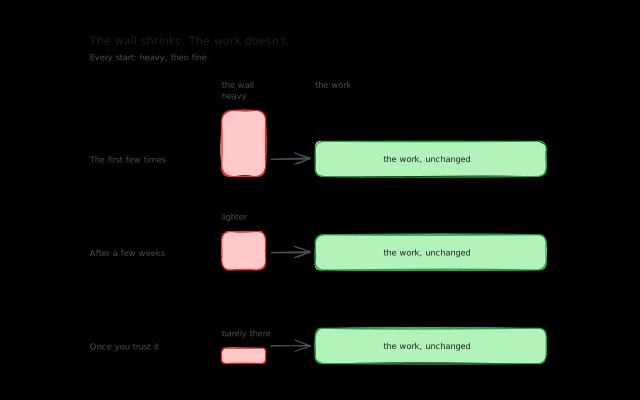
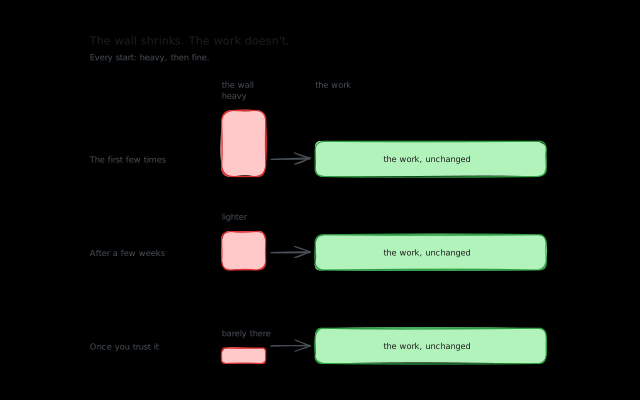
That first no was the hardest. After that, it got easier every time. Not easy, but easier.
What I actually have time for
Here’s something I wish someone had told me earlier: you do not have 40 hours of productive work per week. Not even close.
For me, realistic productive hours land around 25-30 per week. The rest goes to managing clients, finding new work, invoicing, contracts, emails, Slack messages, meetings, and honestly just taking a coffee break between deep work sessions to relax and gather your thoughts. That’s not wasted time. That’s the overhead of running a one-person business.
If you’re planning your week assuming 8 hours of focused output per day, you’re setting yourself up to fail. I plan for about 6 focused hours on a good day, and even that’s optimistic when there are meetings.
Once I started planning around my real capacity instead of an imaginary 40-hour week, the overcommitting mostly stopped on its own. Not because I got better at saying no, but because I could see when I was full.
Seeing the whole picture changes everything
The biggest shift for me was getting all my tasks into one place. When a client asks “can you take this on?”, the answer is very different if you’re looking at their board (3 tasks, looks fine) versus looking at your total workload across all clients (14 tasks, already at capacity).
I used to do this manually in ClickUp, and it worked as long as everything lived in one workspace. But as clients moved to their own tools, my unified view fell apart. I wrote about that breakdown in managing tasks across ClickUp, Notion, and Jira.
The aggregated view is what makes capacity planning possible. Without it, you’re making yes/no decisions with incomplete information. With it, you can look at your week and say “I have about 6 hours of capacity left, is this task worth one of those hours?” That’s a much better question than “can I squeeze this in somewhere?”
Setting boundaries gets easier
The thing about boundaries is that clients almost always respect them. The fear of saying no is way bigger than the actual consequences.
What I’ve learned is that clients don’t want you to say yes to everything. They want you to be reliable. Saying “I can start this Thursday, my week is full through Wednesday” is infinitely better than saying “sure, I’ll get it done” and then delivering it late on Friday.
The freelancers who keep clients longest aren’t the ones who never say no. They’re the ones who set honest expectations and then meet them.
Whether you set hard boundaries or work overtime to keep a client happy depends on you. How good is the money? How much does work-life balance matter to you right now? There’s no universal answer. But in the long run, work-life balance is the thing that keeps freelancing sustainable. Burnout doesn’t care how good the hourly rate is.
What I’m building into Koaline
Overcommitment is one of the core problems Koaline is designed to help with. When all your tasks from all your clients are in one workspace, you can actually see your total workload. Not the fragmented view each client’s tool shows you, but the real picture.
The day planning view shows your capacity for the day. When you’re full, you can see it. Time tracking tied to your plan lets you compare how long things took versus how long you thought they’d take, which is nice for seeing how you’re improving over time, even if you’re not actively studying the data.
The goal is to make the invisible visible. So that when a client asks “can you squeeze this in?”, you have a real answer instead of a gut feeling that’s usually too optimistic.
If you’re a freelancer who keeps ending up with more on your plate than fits, try Koaline — it’s open and free while in beta — or reach out at david@koaline.app.
Related reading:
- How I Manage Multiple Clients as a Freelance Developer - The systems I use to keep multiple clients moving forward.
- How I Plan My Freelance Week (When I Actually Do It) - My actual weekly planning workflow.
- Context Switching Between Client Projects - Why switching between clients costs more than you think.